Forms that fit your work.
Choose your own fields for notes, numbers, dates, photos, audio and GPS. Keep the structure consistent as you move from sample to sample.
Your questions. Your measurements. FieldApp Notebook
Offline field data collection · iPhone & iPad
Less time managing field sheets.
More time making observations.
A field notebook app for researchers, surveyors and field-course students. Build custom forms, keep photos, audio and GPS with your observations, and export organised data to your spreadsheet.
For iPhone & iPad · One-time purchase · No subscription
Version 1.2 is out now. Download it or update your existing app through the App Store.
Built for offline fieldwork
No account required
Records stored on your device
From first observation to analysis
For research, environmental surveys, teaching and the everyday work of collecting good data.
Choose your own fields for notes, numbers, dates, photos, audio and GPS. Keep the structure consistent as you move from sample to sample.
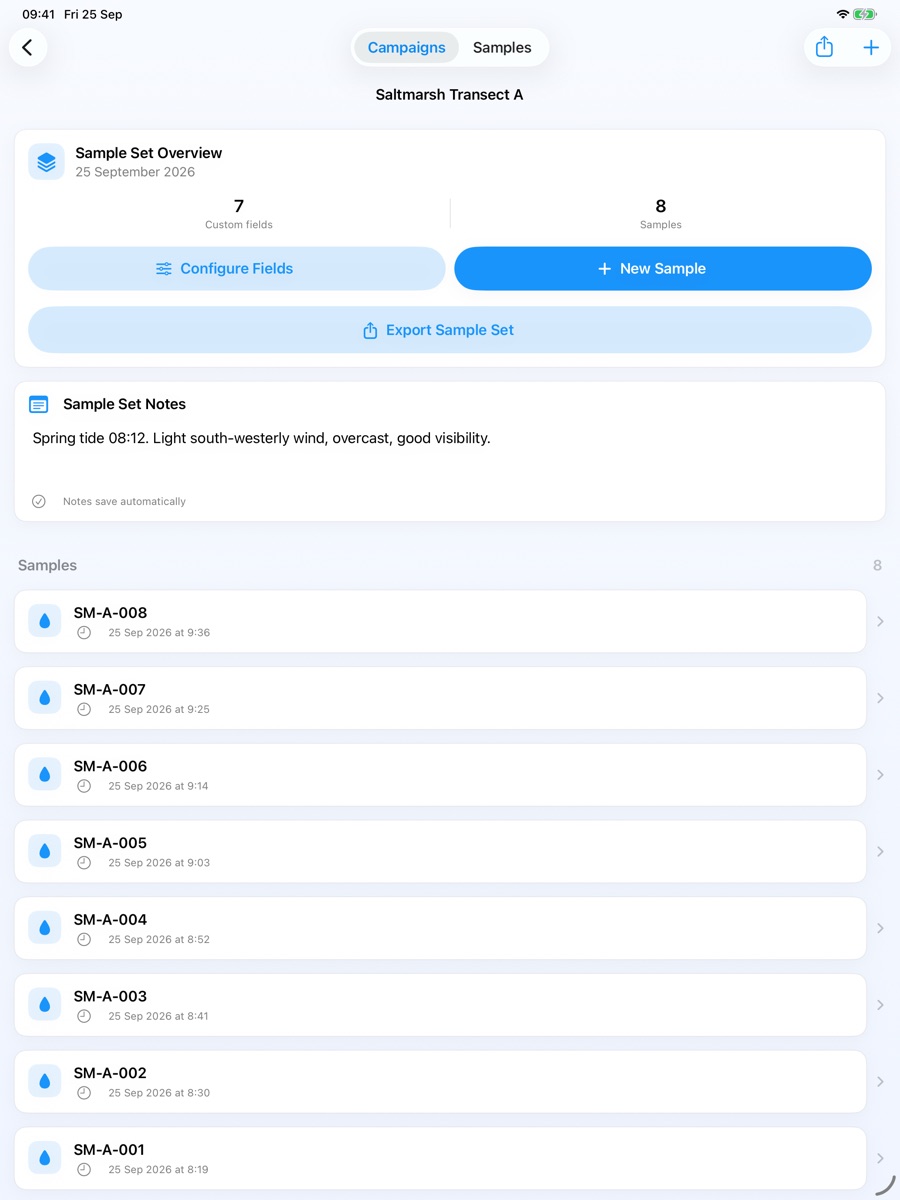
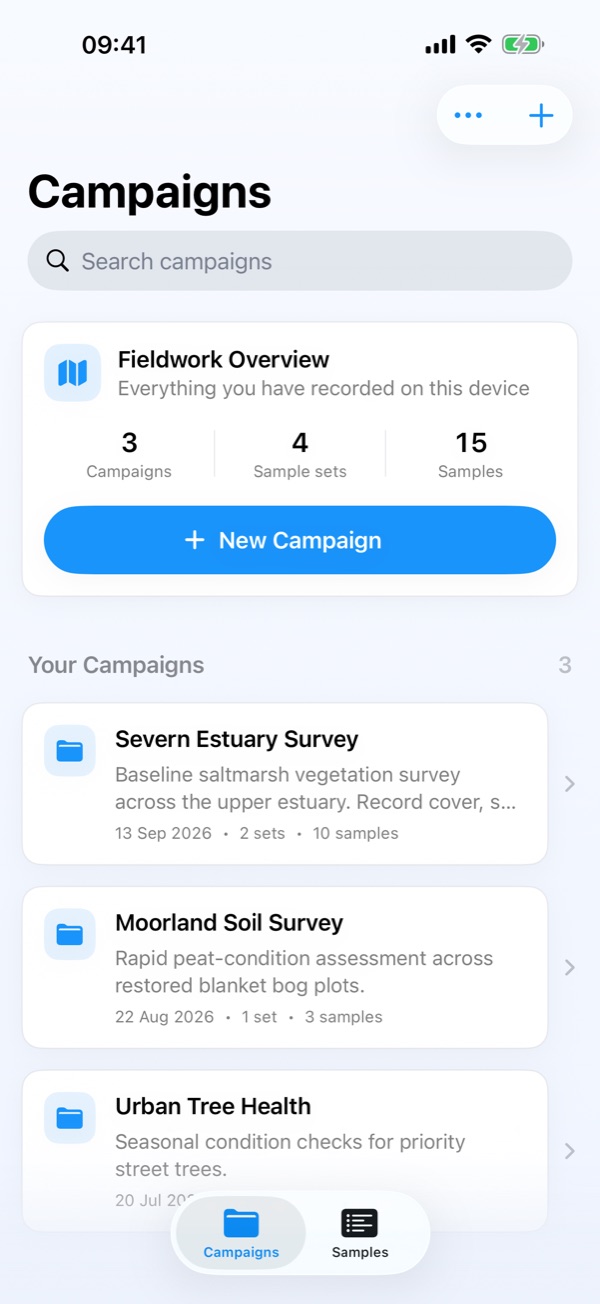
Your questions. Your measurements.Group projects into campaigns, split them into sample sets, and keep each observation with its context. From a single site to a whole field season.
Campaign → Sample set → SampleTake your observations into Excel, Numbers, R or Python using standard CSV files. Bundle photos and recordings with the data in a ZIP when you need the full picture.
Collect in the field. Analyse anywhere.From setup to spreadsheet
Practical guides to collecting observations, designing a repeatable survey form and bringing your data back to Excel. Written for the released FieldApp Notebook 1.2.
Set up your iPhone or iPad, check your workflow without a connection, and keep a separate copy of your work.
Read the offline fieldwork guideChoose useful field types, make units explicit and test a small example before collecting a whole dataset.
Read the survey form guideChoose CSV or ZIP, match photographs and recordings to records, and check your spreadsheet import.
Read the export guideNew in version 1.2
A brighter identity and useful improvements throughout your field notebook.
Available now on the App Store
Download the latest version, or update your existing copy through the App Store, to get these features and the refreshed interface.
Record and play back audio notes within a sample, with a live recording level indicator.
Search and filter a sample library across campaigns, sample sets and recorded values.
Export directly from a sample set, with clearly named photos and recordings linked to your data.
Create a restorable copy of your fieldwork and its attachments using Backup & Restore.
A closer look at version 1.2
Actual app screens with example records.
Version 1.2 shown on iPhone.


20 seconds in the field
Take a quick look at saved observations, audio, photos, GPS and spreadsheet-ready exports in FieldApp Notebook 1.2.
The opening reads “Your fieldwork. Organised. Even offline.” The app shows a saved sample, plays an attached audio recording and scrolls to a photograph and GPS coordinates. A highlighted tap opens export options, selects ZIP and prepares an export. The closing card shows FieldApp Notebook, for iPhone and iPad, and fieldapp.org. Original instrumental music and soft tap sounds accompany the film; there is no spoken narration.
Features shown are available in version 1.2. The film uses example fieldwork records.
A few useful answers
Questions, feedback or a workflow you’d like to discuss?
support@fieldapp.orgNo. Create forms and record observations offline, without an account. Sending an export through email or another online service may need a connection.
Yes. FieldApp exports standard CSV files that open in Excel, Numbers and many research tools. CSV is the file format; it is not an Excel workbook. ZIP exports keep the data and its attachments together.
Yes. FieldApp Notebook is available for both. Records are stored locally on each device, not automatically synchronised between devices.
Version 1.2 is available now. Open FieldApp Notebook in the App Store to download it, or choose Update if you already have the app. The screenshots and video on this page show version 1.2 with example records.
Your records are stored on your device. The app has no account, advertising or analytics service. You choose when and where to export or share. Read the privacy policy for details, including device backups and permissions.
FieldApp Notebook for iPhone and iPad.